Last updated June 3, 2026
Every 11 seconds, an older adult is treated in an emergency room for a fall-related injury. [1] That number alone should make choosing the right medical alert system feel urgent — but the market is crowded with confusing options, hidden fees, and marketing claims that are hard to verify. This best medical alert systems comparison cuts through the noise and gives you straight answers.
Whether you’re shopping for yourself or a parent, the goal here is simple: help you find a system that actually works, fits your budget, and won’t trap you in a bad contract.
Key Takeaways
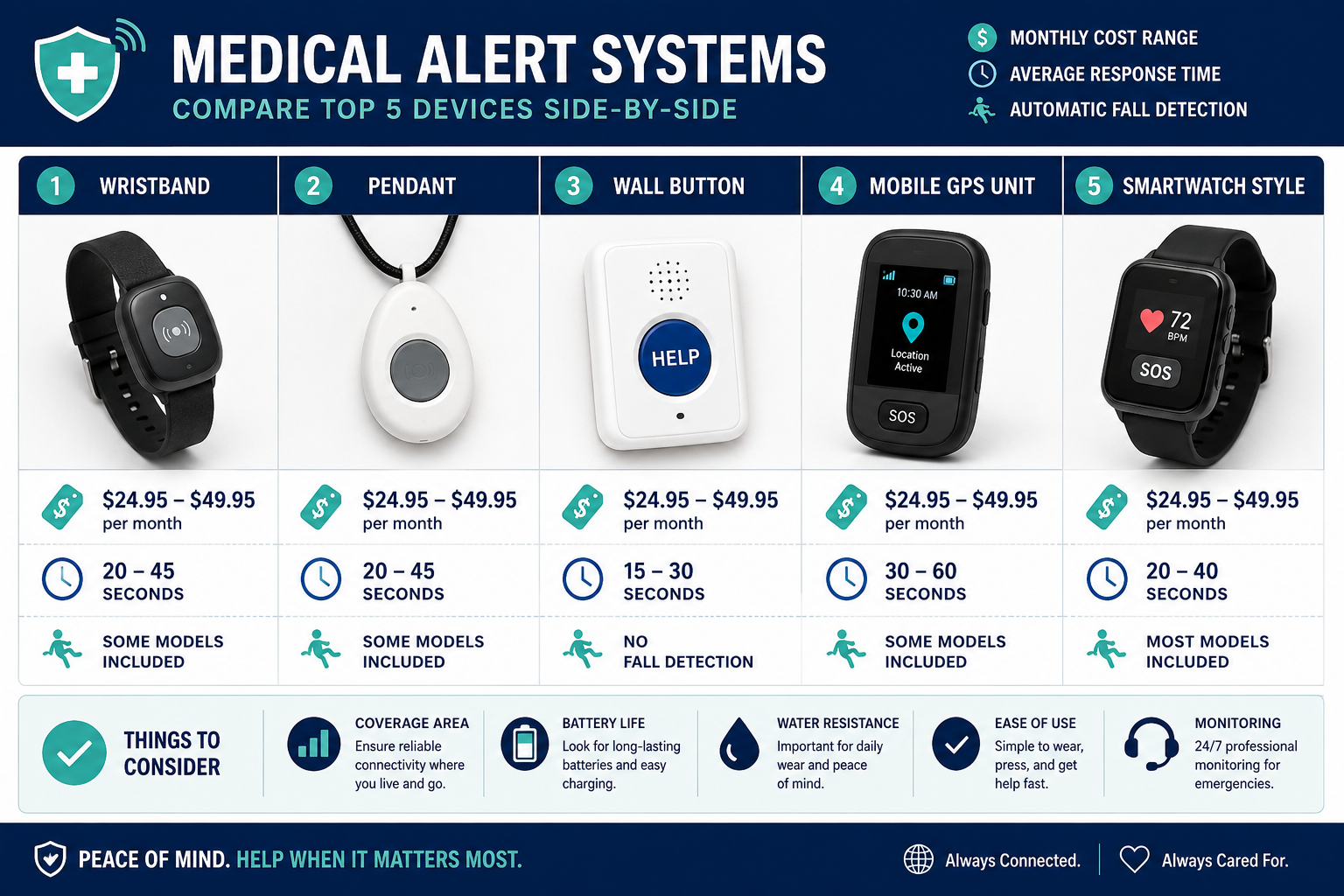
- Monthly costs typically range from $24.95 to $49.95, with fall detection adding roughly $10/month [3]
- Bay Alarm Medical ranks as the top overall pick for most people in 2026 [1]
- Fall detection is not automatic — you usually have to pay extra for it
- No single system is best for everyone — your lifestyle (home vs. active) matters most
- Watch out for activation fees, equipment charges, and auto-renewal contracts
What to Look for Before You Compare Any System
Most review sites lead with the product. This one leads with the problem.
Before comparing brands, you need to know what features actually matter. Here’s what to evaluate in plain English:
📍 Coverage type
- In-home only — works on landline or Wi-Fi within your house
- On-the-go (GPS/cellular) — works anywhere with cell coverage
- Both — the most flexible, usually costs more
🔔 Fall detection Automatically calls for help if the device senses a fall — even if you can’t press the button. Almost every provider charges extra for this, typically around $10/month. [3] It’s worth it.
📞 Response time and monitoring Look for 24/7 U.S.-based monitoring centers with average response times under 60 seconds. This is non-negotiable.
💰 True monthly cost The advertised price rarely includes equipment fees, activation charges, or fall detection add-ons. Always ask for the all-in monthly number.
📋 Contract terms Month-to-month is always safer than annual contracts, especially when you’re testing a new system.
Best Medical Alert Systems Comparison: Top Picks for 2026
Here’s an honest look at the top systems available right now. Each one has a clear use case — and each one has at least one downside worth knowing.
🥇 Bay Alarm Medical — Best Overall
Best for: Most people, most situations
Bay Alarm Medical consistently earns the top spot in medical alert systems comparisons because it covers all the basics well without overcharging. [1] It offers both in-home and GPS mobile options, fast response times, and no long-term contracts.
What works:
- Affordable starting price (around $24.95/month)
- Responsive U.S.-based monitoring
- No equipment fees on most plans
What to watch out for: Fall detection costs extra. Their mobile app is functional but not the most polished.
🏅 Medical Guardian — Best for Fall Detection Technology
Best for: People who want the most advanced fall detection
Medical Guardian’s MGMini Lite is one of the most capable devices in the category. [2] It’s compact, wearable, and uses multi-sensor fall detection that’s more accurate than older single-axis systems.
What works:
- Strong fall detection accuracy
- Lightweight, discreet design
- GPS included on mobile plans
What to watch out for: Higher monthly cost than budget options. Some users report occasional false alerts from the fall detection sensor.
💰 MobileHelp — Best for Couples on a Budget
Best for: Two people in the same household
MobileHelp offers two-person bundles that split the monitoring cost, making it one of the most cost-effective options for couples. [3] You’re not paying double for two devices.
What works:
- Genuine savings for two-person households
- Simple setup
- No landline required
What to watch out for: The hardware looks dated compared to newer competitors. Customer service response times have been inconsistent based on user reviews.
🏠 GetSafe — Best for In-Home Use Without Wearing Anything
Best for: People who won’t wear a pendant or wristband
GetSafe takes a different approach. Instead of a wearable device, it uses wall-mounted voice-activated buttons placed around your home. [4] You press a button on the wall — no device to forget, lose, or charge.
What works:
- No wearable required
- Easy installation
- Good for people who resist wearing devices
What to watch out for: Zero protection outside the home. If you leave the house, you’re unprotected. This is strictly an in-home solution.
📱 Lively — Best for Active Seniors
Best for: People who are still out and about regularly
Lively’s Mobile2 device combines a medical alert button with cellular connectivity and GPS. [2] It’s designed for people who walk, drive, travel, and don’t want to be tethered to their home.
What works:
- Compact and easy to carry
- GPS tracking for family members
- Optional Urgent Response app for smartphone users
What to watch out for: Requires a Lively service plan. If you already pay for a cell phone plan, you’re adding another monthly bill.
👨👩👧 Aloe Care Health — Best for Caregivers
Best for: Adult children managing a parent’s safety remotely
Aloe Care Health is built around the caregiver experience. [4] The hub includes two-way voice communication, air quality monitoring, and a companion app that lets family members check in, get alerts, and communicate — all in real time.
What works:
- Excellent caregiver app
- Two-way communication through the home hub
- More than just emergency response — it’s a monitoring ecosystem
What to watch out for: More expensive than basic systems. Requires Wi-Fi. Not ideal for someone who wants a simple button-press solution.
⏳ Lifeline — Best for Brand Trust and Longevity
Best for: People who want an established name with a long track record
Lifeline has been in the medical alert business for over 50 years. [3] That history means proven reliability, though it also means the technology can feel behind newer competitors.
What works:
- Decades of monitoring experience
- Trusted by hospitals and healthcare systems
- AutoAlert fall detection available
What to watch out for: Higher price point for what you get. Newer companies offer similar features at lower cost.
🤝 LifeFone — Best Customer Service
Best for: People who want strong support before, during, and after purchase
LifeFone earns consistent praise for how it treats customers. [4] The onboarding process is thorough, and their support team is known for patience — which matters when your customer base includes people who aren’t tech-savvy.
What works:
- Exceptional customer service reputation
- Multiple system configurations
- No equipment fees
What to watch out for: Not the cheapest option. Some plans require annual commitment for the best pricing.
Side-by-Side Comparison Table
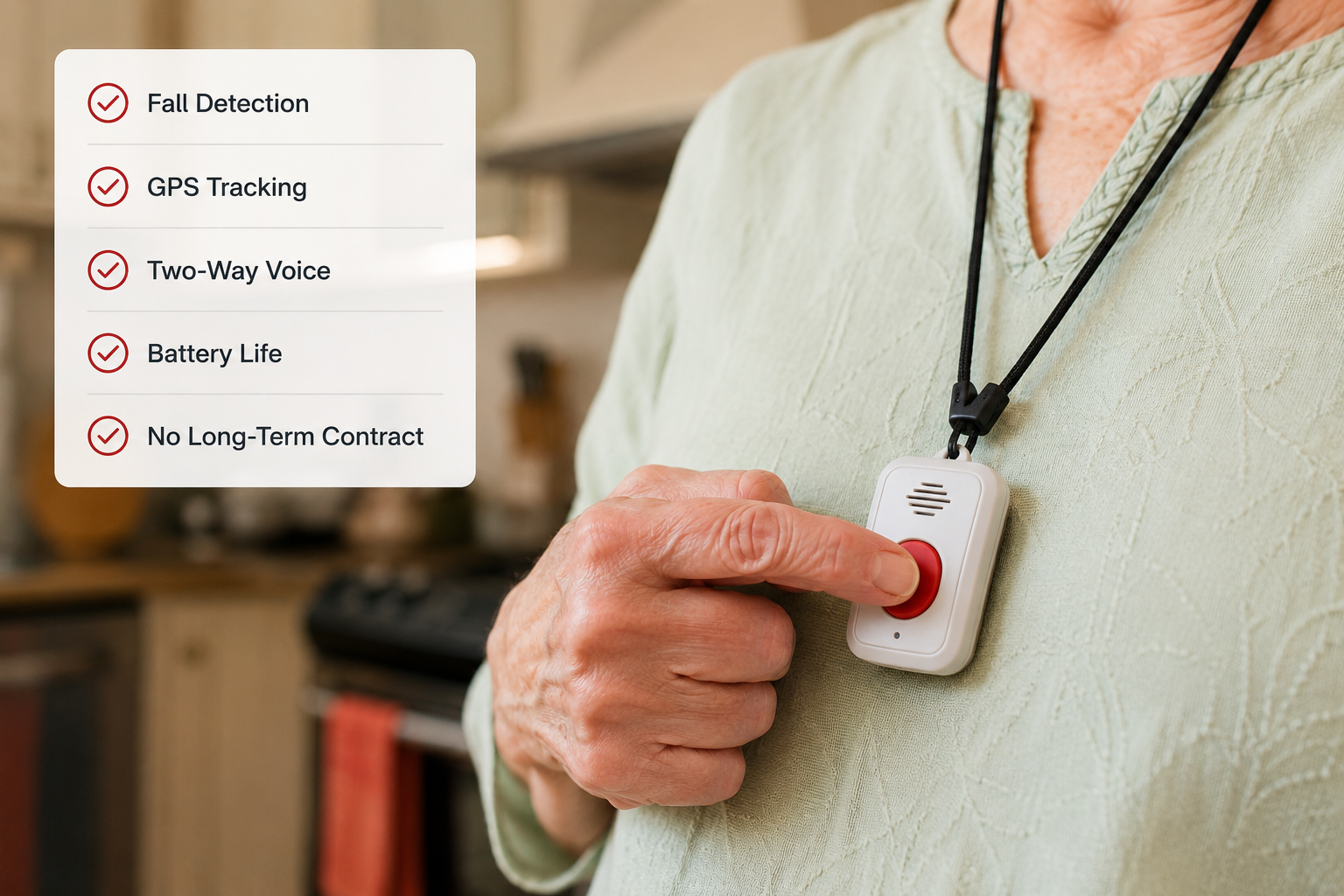
| System | Best For | Starting Monthly Cost | Fall Detection | Contract Required |
|---|---|---|---|---|
| Bay Alarm Medical | Overall | ~$24.95 | Add-on (+$10) | No |
| Medical Guardian | Fall detection | ~$29.95 | Add-on | No |
| MobileHelp | Couples | ~$19.95/person | Add-on | No |
| GetSafe | In-home, no wearable | ~$24.99 | No | No |
| Lively | Active seniors | ~$24.99 | Add-on | No |
| Aloe Care Health | Caregivers | ~$29.99 | Included | No |
| Lifeline | Brand trust | ~$29.95 | Add-on | No |
| LifeFone | Customer service | ~$24.95 | Add-on | No |
💡 Pull Quote: “The cheapest plan isn’t always the best value. A $5/month difference means nothing if the response time is slow or the fall detection is unreliable.”
What to Watch Out For: Red Flags in Medical Alert Marketing
This is where most comparison articles go quiet. Here’s what to look for before you sign anything.
Hidden activation fees Some companies advertise $19.95/month but charge $50–$99 to activate. Always ask upfront.
Auto-renewal traps Annual contracts that auto-renew without notice are common. Set a calendar reminder 60 days before any annual contract ends.
Fall detection limitations No fall detection system is 100% accurate. They can miss falls and trigger false alarms. [3] It’s still worth having — just don’t treat it as foolproof.
Equipment return policies If you cancel, most companies require you to return the hardware. Confirm the return window and who pays for shipping.
Medicare and insurance coverage Most standard Medicare plans do not cover medical alert systems. Some Medicare Advantage plans do. Check your specific plan before assuming coverage.
How to Choose the Right System for Your Situation
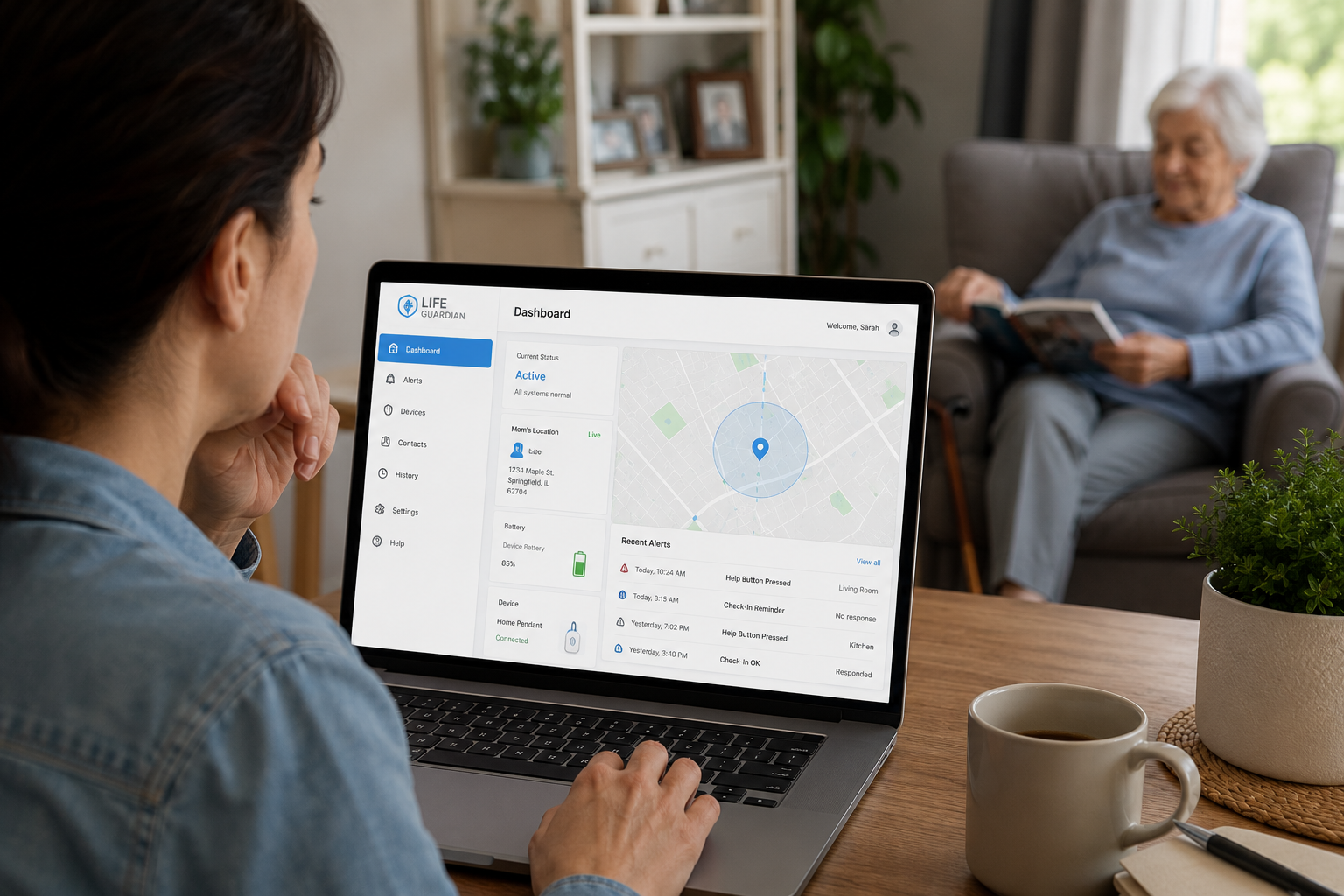
Answer these three questions and the choice gets much clearer:
1. Do you spend most of your time at home or out in the world? Mostly home → In-home system or GetSafe Active lifestyle → GPS mobile system like Lively or Medical Guardian
2. Are you shopping for yourself or helping a parent? For yourself → Prioritize simplicity and comfort For a parent → Prioritize caregiver features (Aloe Care Health, LifeFone)
3. What’s the real monthly budget? Under $30/month → Bay Alarm Medical, MobileHelp $30–$45/month → Medical Guardian, Lifeline, LifeFone Couples → MobileHelp bundle
Conclusion: The Bottom Line on Medical Alert Systems in 2026
This best medical alert systems comparison comes down to one honest truth: the best system is the one the person will actually use.
A high-tech device that sits in a drawer because it’s uncomfortable or confusing protects nobody. Start with comfort and simplicity, then add features.
Actionable next steps:
- ✅ Decide: in-home, mobile, or both
- ✅ Add fall detection to whatever plan you choose — the $10/month is worth it
- ✅ Choose month-to-month billing until you’re sure the system fits
- ✅ Test the response time yourself in the first week — most companies allow test calls
- ✅ If you’re buying for a parent, involve them in the choice — buy-in matters
No hype. No affiliate pressure. Just the honest picture of what’s available in 2026 and how to pick the right fit.
References
[1] Medical Alert Systems – https://www.consumeraffairs.com/medical-alert-systems/?utm_source=openai [2] Best Medical Alert Systems – https://www.seniorliving.org/medical-alert-systems/best/?utm_source=openai [3] 8 Best Medical Alert Systems 2026 475121 – https://www.medicaldaily.com/8-best-medical-alert-systems-2026-475121?utm_source=openai [4] Best Medical Alert Systems – https://www.safehome.org/medical-alert-systems/best/?utm_source=openai