Published June 10, 2026
Nearly 90% of adults over 65 say they want to stay in their own home as they age. But falls, missed medications, and slow-building health changes make that harder — and scarier — every year. The good news: AI‑powered home health monitoring systems have gotten genuinely useful in 2026. Not perfect. Not magic. But useful enough to change the equation for a lot of people.
This guide explains how these systems work, what data they actually collect, which products are worth a look, and — most importantly — what questions to ask before you spend a dime. No hype. Plain English. Honest about the downsides.
Key Takeaways
- AI home monitoring combines wearables, ambient sensors, and software to detect health changes before they become emergencies.
- The best systems work without cameras, protecting your privacy while still tracking what matters.
- Data privacy varies widely — some systems store everything in the cloud, others process data on the device itself.
- No system replaces a doctor or a caregiver. They’re a supplement, not a substitute.
- Before buying, ask five specific questions about data ownership, false alarm rates, and what happens when the Wi-Fi goes down.
What These Systems Actually Do
Most people imagine a camera watching them in their bedroom. That’s not what the better systems do in 2026.
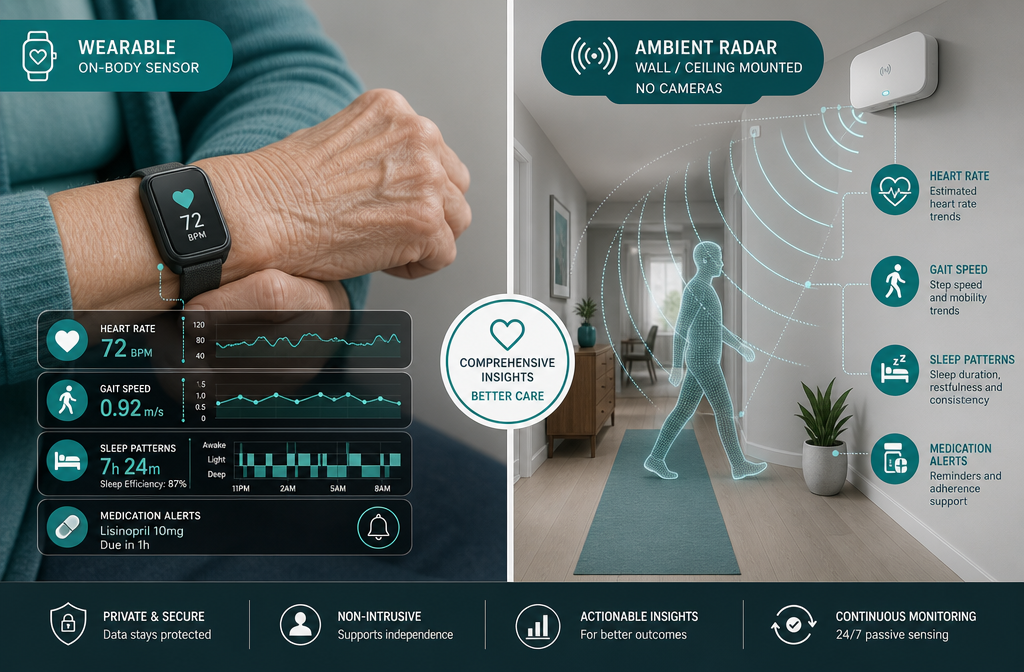
Modern AI-powered home health monitoring systems use a mix of three technologies working together:
1. Wearable sensors — Wristbands or pendants that track heart rate, blood oxygen, sleep quality, and movement. SmartAgingAI uses wearable data combined with AI to detect falls and alert caregivers in real time. [3] These are the most familiar devices, but they only work if you actually wear them.
2. Ambient sensors — Devices mounted on walls or ceilings that monitor movement, temperature, and activity patterns without any camera. KuboCare uses radar-based technology to monitor health and movement 24/7 — no wearable required, no camera in sight. [7] FutureCare takes a similar approach with discreet sensors that learn your daily routine and flag deviations to a caregiver. [1]
3. AI software platforms — The brain of the operation. This software analyzes data from sensors and wearables, builds a baseline of what’s normal for you, and sends alerts when something changes. ContinuumCare.AI integrates multiple health data sources to deliver what they call continuous, personalized care at home. [4]
When these three pieces work together, the system can catch things that are easy to miss: a gradual slowdown in morning activity that might signal an infection, a change in sleep patterns, or a fall that happened when no one was around.
The Four Types of AI Home Monitoring Systems Worth Knowing
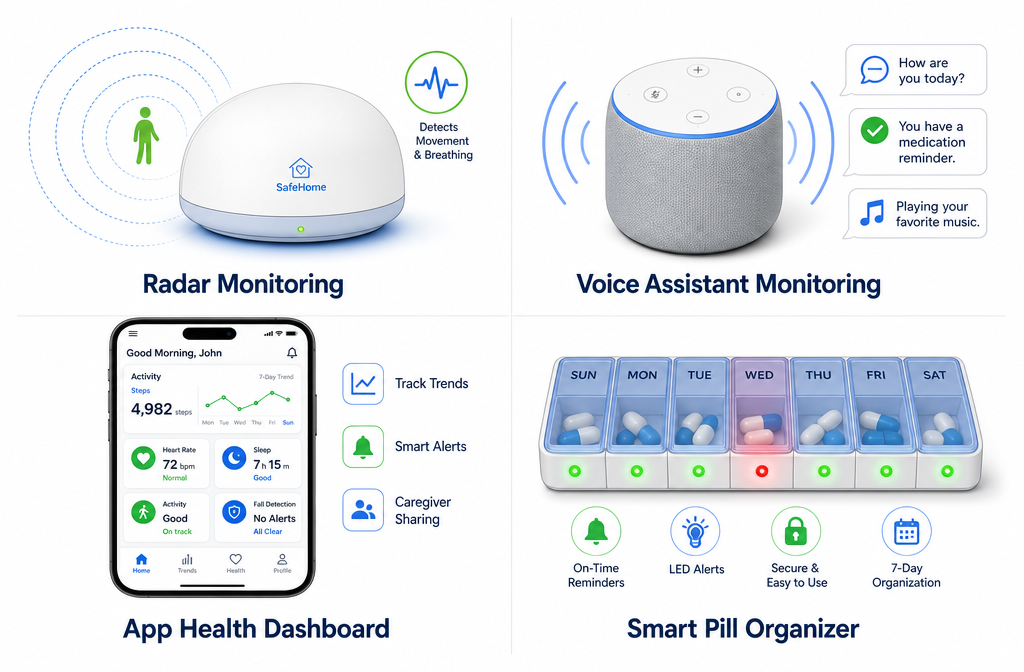
Not every system fits every situation. Here’s a plain-English breakdown of the main categories available in 2026.
Ambient (No-Wearable) Systems
These use radar, motion sensors, or environmental monitors. You don’t wear anything. The sensor sits in a room and does its job quietly.
Best for: People who won’t consistently wear a device, or who want truly passive monitoring.
Watch out for: They can’t track you outside the home. If you collapse in the backyard, the indoor sensor won’t know.
Example: KuboCare’s radar device monitors health and movement around the clock and sends real-time insights to caregivers. [7]
Wearable-Based Systems
A wristband, watch, or pendant collects biometric data continuously. SmartAgingAI pairs wearable data with AI analysis to detect falls and health changes. [3]
Best for: People who are comfortable wearing a device and want health metrics like heart rate and blood oxygen tracked.
Watch out for: Battery life and charging habits matter. A device that’s charging on the nightstand during a fall is useless.
Voice-First AI Assistants
These go beyond a simple smart speaker. Aidra offers a voice-enabled AI agent that assists with daily routines, monitors health, and provides companionship. [5] iTonic Health adds smart medication management and an AI companion to support what they call intergenerational care. [6]
Best for: People who live alone and want both monitoring and social interaction built in.
Watch out for: Voice systems require you to speak clearly and interact with them. If you’re not comfortable talking to a device, you won’t use it.
Comprehensive Platforms
These pull everything together — wearables, sensors, medication reminders, caregiver dashboards, and health trend reports. ContinuumCare.AI is an example of this all-in-one approach. [4]
Best for: Families managing care from a distance who want one dashboard for everything.
Watch out for: More features mean more complexity. More complexity means more ways for something to go wrong.
| System Type | Camera Required | Wearable Required | Best Use Case |
|---|---|---|---|
| Ambient/Radar | ❌ No | ❌ No | Passive home monitoring |
| Wearable-Based | ❌ No | ✅ Yes | Biometric tracking, fall detection |
| Voice-First AI | ❌ No | ❌ No | Companionship + reminders |
| Comprehensive Platform | Optional | Optional | Full family care coordination |
The Privacy Question Nobody Asks Loudly Enough
Here’s the honest truth: where your data goes matters as much as what the system does with it.
Some systems send everything to the cloud — your movement patterns, sleep data, health metrics, and daily routines. That data lives on a company’s server. You need to know who owns it, who can see it, and what happens to it if the company is sold or shuts down.
Other systems process data directly on the device. EdgeCare.ai is built specifically around this principle — their on-device processing means health and mobility data is analyzed locally without being transmitted to the cloud. [2] Research into federated learning frameworks like FedHome shows it’s technically possible to provide personalized in-home health monitoring while keeping user data private and off central servers. [10]
There’s also emerging work on digital twin models — virtual representations of a person’s daily activity patterns — that can enable continuous health monitoring without exposing raw personal data. [8] The MAISON research platform collects diverse sensor data to build predictive models for detecting health decline and social isolation, with privacy preservation built into the design. [9]
Pull quote: “The question isn’t just ‘does this system work?’ It’s ‘where does my data go, and who controls it?'”
5 Questions to Ask Before You Buy Any System
This is the part most product reviews skip. Don’t skip it.
1. Where is my data stored, and who owns it? Ask specifically: Is data processed on the device or sent to the cloud? Can you delete your data if you cancel? Can the company sell your data to third parties?
2. What happens when the Wi-Fi goes down? Many systems depend entirely on your internet connection. If the router goes offline, does the fall detection still work? Does the medication reminder still fire? Get a straight answer.
3. What is the false alarm rate? A system that cries wolf three times a week will get ignored — or turned off. Ask for real-world data on false positive alerts.
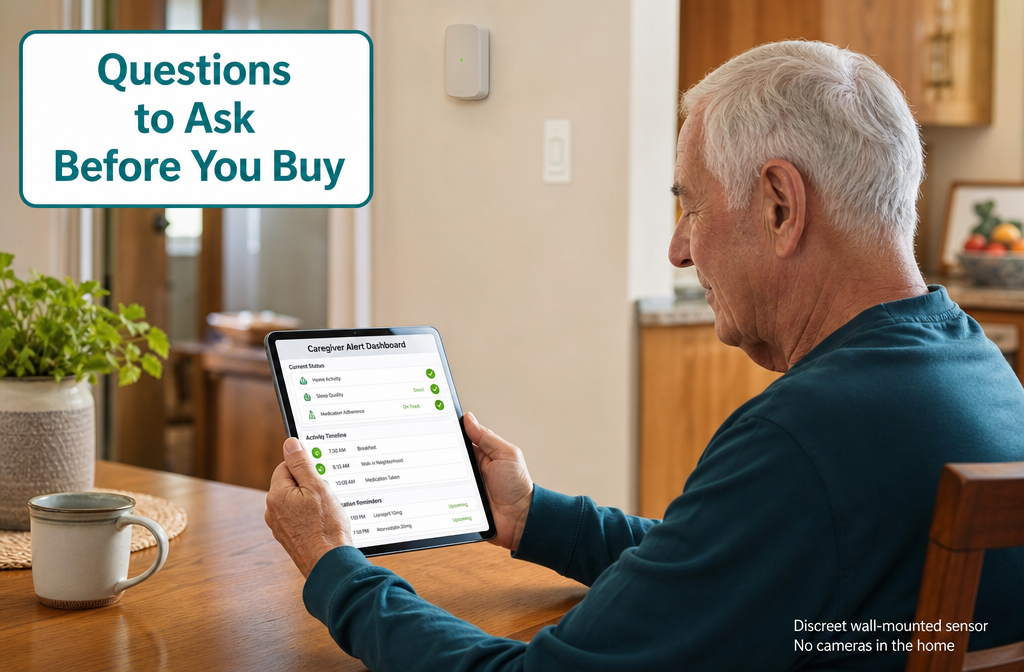
4. How does a caregiver or family member actually receive alerts? Text? App notification? Phone call? What if they don’t respond? Is there a backup contact system?
5. What does setup actually require? Some systems need a professional installer. Others plug into an outlet. Be honest with yourself about what you’re willing to manage. A system that’s too complicated to set up is a system that sits in the box.
What to Watch Out For: Honest Downsides
No system is perfect. Here’s what the marketing materials won’t tell you.
🔴 False alarms are common. AI learns your routine over time, but the first few weeks often produce alerts that don’t mean anything. This can frustrate both you and your family.
🔴 Subscription costs add up. Most of these systems charge a monthly fee on top of the hardware cost. Budget $30–$100/month depending on the platform.
🔴 They don’t replace human judgment. An AI can detect that you didn’t open the refrigerator this morning. It can’t tell whether you’re sick, traveling, or just not hungry. Context still requires a person.
🔴 Tech support quality varies wildly. If something stops working at 2 a.m., who do you call? Check reviews specifically for customer service responsiveness before buying.
🔴 Not all systems work well in multi-story homes. Radar and motion sensors have coverage limits. A single device may not cover a two-story house.
Conclusion: The Bottom Line on AI Home Monitoring in 2026
AI‑powered home health monitoring systems are not a magic solution. But for adults who want to age in place safely — and for families who worry from a distance — they’re a genuinely useful tool in 2026.
The technology has matured. You can now get real-time fall detection, medication reminders, health trend tracking, and caregiver alerts without putting a camera in your home. Privacy-first options exist. Voice-first options exist. Comprehensive platforms exist.
Here’s what to do next:
✅ Start with your biggest concern. Falls? Get a wearable or radar system. Medication? Look at voice-first platforms like Aidra [5] or iTonic Health. [6] Wandering or routine monitoring? Ambient sensors like KuboCare [7] or FutureCare [1] are worth a look.
✅ Ask the five questions above before you buy anything. Print them out. Call the company. If they can’t answer clearly, move on.
✅ Start simple. You don’t need the most comprehensive platform on day one. A single reliable fall detection device is more valuable than a complicated system you never fully set up.
✅ Loop in your doctor. Some platforms can share health trend data with your physician. That’s a feature worth using.
The goal isn’t to turn your home into a surveillance center. The goal is to stay in your own home, on your own terms, as long as possible. These tools can help with that — if you choose the right one.
References
[1] FutureCare – https://futurecare.ai/?utm_source=openai [2] EdgeCare.ai – https://www.edgecare.ai/?utm_source=openai [3] SmartAgingAI – https://www.smartagingai.com/?utm_source=openai [4] ContinuumCare.AI – https://www.continuumcare.ai/?utm_source=openai [5] Aidra.care – https://aidra.care/?utm_source=openai [6] iTonic Health – https://itonic.health/?utm_source=openai [7] KuboCare – https://www.kubocare.com/?utm_source=openai [8] arXiv — Digital Twin Models for Health Monitoring – https://arxiv.org/abs/2504.03798?utm_source=openai [9] arXiv — MAISON Multimodal Sensor Platform – https://arxiv.org/abs/2211.03615?utm_source=openai [10] arXiv — FedHome Federated Learning Framework – https://arxiv.org/abs/2012.07450?utm_source=openai